Address
Arusha Njiro
Work Hours
80 Hours A week
Address
Arusha Njiro
Work Hours
80 Hours A week

 ByIziraa
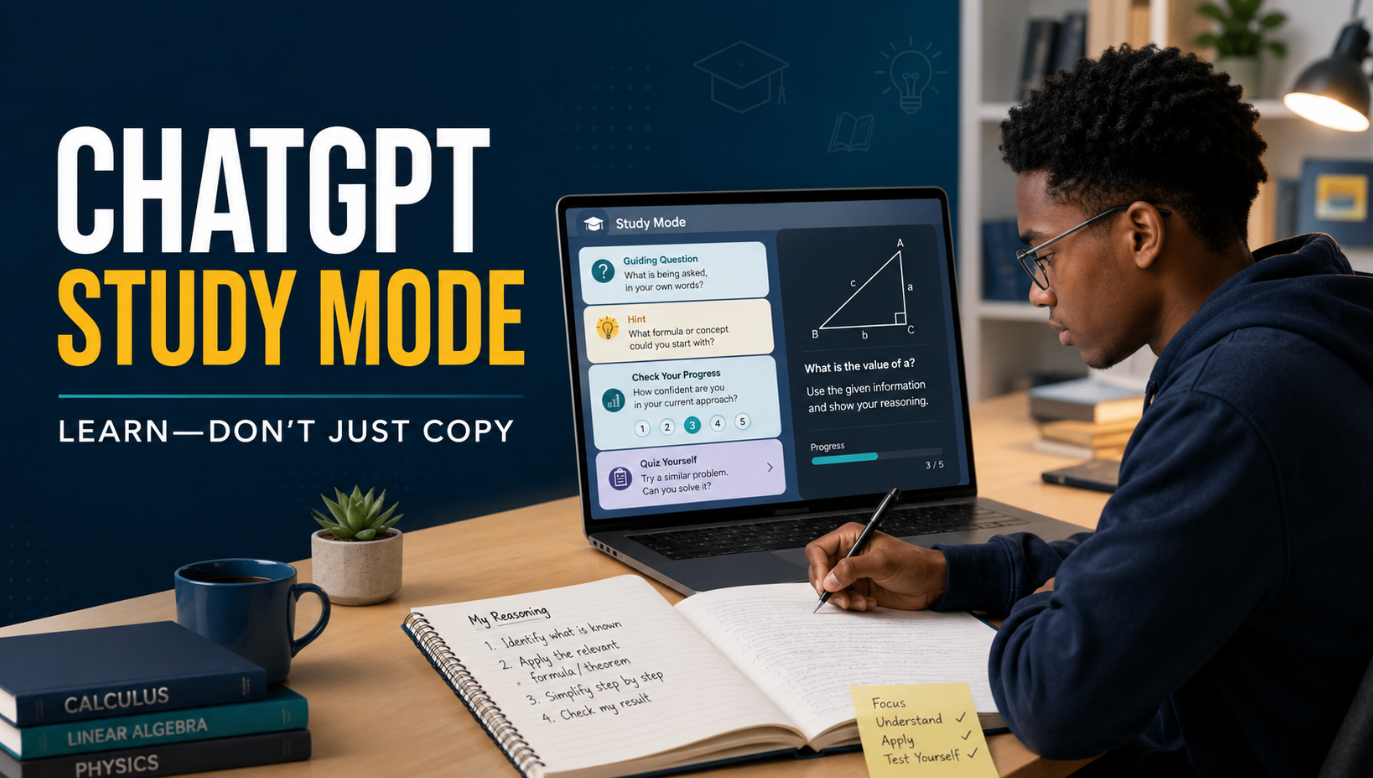
Short answer: yes, ChatGPT Study Mode can support genuine learning, but switching it on does not guarantee that learning happens. It is designed to ask guiding questions, reveal ideas in stages, give hints and check understanding. However, it can still make mistakes or provide a direct answer. Therefore, the result depends on how actively the student thinks, answers, checks and practises away from the chat.
If you use ChatGPT Study Mode as an interactive tutor, it can make a difficult topic feel more manageable. If you keep asking it to finish the work, however, the same tool can become a slower route to copying. The difference is not the button alone. It is the learning behaviour that follows.
This guide explains what Study Mode does in 2026, what early evidence says, where it falls short and how to use it without surrendering your own thinking.
ChatGPT Study Mode is a learning experience inside ChatGPT. According to OpenAI, it can ask what you already know, guide you with Socratic-style questions, explain concepts in layers, use uploaded course materials and test your understanding. It is currently available across ChatGPT plans on the web, iOS and Android, and it works with the ChatGPT models available to the user.
Nevertheless, Study Mode is not an automatic academic-integrity lock. OpenAI clearly notes that it may sometimes give a direct answer. Moreover, it can make factual or reasoning errors. As a result, students still need course materials, teacher guidance and independent checking.
The most honest verdict is this:
ChatGPT Study Mode can improve the conditions for learning, but only the learner can perform the mental work that produces learning.
Use it to struggle productively, retrieve knowledge, explain reasoning and correct mistakes. Do not use it merely to generate something that looks finished.
OpenAI introduced Study Mode in July 2025 as a step-by-step learning experience rather than a quick-answer tool. Under the surface, it uses special instructions developed with input from teachers, scientists and pedagogy specialists. Those instructions encourage active participation, manageable explanations, reflection and feedback.
In a normal chat, a student might type, “Solve this equation,” and receive a complete solution. In ChatGPT Study Mode, the response is more likely to ask what the student has tried, identify the point of confusion or provide the next hint. Consequently, the conversation can resemble guided tutoring more than answer delivery.
OpenAI lists several central behaviours:
Study Mode can also use Memory when it is enabled. For example, it may remember a preferred explanation style or a continuing learning goal. However, it still works when Memory is off. Students who want to understand what may be retained should read Iziraa’s guide to what ChatGPT remembers and how to use it more safely.
On the current web interface, a signed-in user can type @study in the composer or select the plus button and search for Study. On supported mobile apps, Study appears through the tools or plugins menu, although interface wording can vary. Alternatively, users can open chatgpt.com/studymode.
Importantly, current official guidance says Study Mode works in regular conversations and Temporary Chats. It is not available inside GPT or Project conversations. Therefore, if the option seems missing, first check the type of conversation before assuming that the account lacks access.
Both experiences use ChatGPT, and both can explain a topic. The main difference is the default interaction pattern.
| Learning need | Ordinary ChatGPT may do | ChatGPT Study Mode is designed to do |
|---|---|---|
| Solve a problem | Provide a polished answer quickly | Ask what you know and reveal the next step |
| Explain a concept | Give one complete explanation | Build the explanation in layers |
| Check knowledge | Answer questions | Ask questions and wait for your response |
| Use class notes | Summarise or transform them | Ground practice and explanations in them |
| Respond to an error | Replace it with the correct answer | Diagnose the misunderstanding and guide a correction |
| Prepare for an exam | Produce revision notes | Combine review, practice, feedback and knowledge checks |
However, the boundary is not absolute. An ordinary chat can become an effective tutoring session when prompted carefully. Likewise, Study Mode can occasionally reveal the answer too soon. Therefore, “Study Mode” describes a stronger learning-oriented default, not an entirely separate model that can never complete work.
If ChatGPT is new to you, begin with Iziraa’s ChatGPT guide for beginners before adding advanced study routines.
There are two parts to this question. First, does the design encourage behaviours associated with learning? Yes. Second, has it been proven to improve durable learning across subjects and learners? Not yet.
Learning usually requires more than reading an answer. A learner must retrieve information, connect ideas, notice errors and apply knowledge in a new situation. Study Mode can support those actions because it can pause, ask questions and adapt the next step to the response.
For example, retrieval practice asks a learner to produce an answer from memory. Research has repeatedly found that retrieving information can improve later retention more than simply rereading it. Similarly, practice spread across time tends to be more valuable than one large revision session. Therefore, a chat that quizzes the student today, revisits errors tomorrow and tests the same idea in a new form is more educational than a one-time summary.
Study Mode also uses scaffolding. At first, it may provide more structure. Then, as the learner improves, that support can be reduced. This matters because a fully worked answer can feel clear while it is visible, yet disappear from memory when the learner faces a blank page.
In March 2026, OpenAI reported early findings from a randomised study involving more than 300 college students preparing for neuroscience and microeconomics examinations. Students were assigned to traditional online resources or one of two Study Mode variants.
The results were mixed. In microeconomics, students assigned access to Study Mode achieved a score roughly 15% higher relative to the no-AI control. In neuroscience, the difference moved in a positive direction but was not distinguishable from the traditional-resource group. Engagement also varied, and OpenAI stated that analysis was continuing.
This evidence is encouraging, particularly because it comes from a randomised comparison. Nevertheless, it should not be stretched beyond what the study established. It does not prove that every student, subject or type of assessment benefits equally. Furthermore, an examination score shortly after studying does not automatically demonstrate lasting knowledge months later.
OpenAI itself says the important question is whether gains and productive learning behaviours remain durable over time. Therefore, the current evidence supports cautious optimism rather than a universal promise.
Study Mode changes the pathway, but it cannot control the learner’s intention. A student can still skip the questions, demand the final response or transfer generated wording into an assignment without understanding it.
Official guidance acknowledges that Study Mode may sometimes give a direct answer. Moreover, a learner can repeatedly request one. Therefore, the interface cannot guarantee productive struggle.
An explanation often looks obvious when it is on screen. That feeling is deceptive. Recognising a correct step is easier than generating the step independently. Consequently, students should not use “that makes sense” as the only test of learning.
ChatGPT can present an incorrect explanation confidently. In addition, a polished paragraph may disguise a missing assumption or a source that does not exist. For research-based tasks, the learner should verify references through the workflow in Iziraa’s guide to AI citation tools you can trust.
Unless a learner provides the syllabus, marking guide and relevant notes, ChatGPT may teach material at the wrong level or focus on content outside the assessed scope. Therefore, official course materials should define the boundary.
Schools and lecturers differ in how they permit AI. Some allow explanation and practice but prohibit generated writing in graded work. Others require disclosure. Consequently, students must follow the rules of the specific class rather than assuming that Study Mode makes every use acceptable.
The safest goal is not to “beat” an AI detector. Instead, it is to produce work you genuinely understand and can defend. Iziraa’s guide to AI detection and academic integrity in Tanzania provides additional context.
Use the LEARN test after a session. It turns “I think I understand” into five observable checks.
Close or hide the response. Then work without looking at it. If the explanation only makes sense while it remains visible, the knowledge may still be fragile.
Describe the idea aloud or on paper without copying the model’s sentences. Use an example that matters to you. If you cannot explain a key step, return to that exact gap.
Solve a different question, analyse a new case or identify the concept in an unfamiliar example. Transfer is stronger evidence of learning than repeating the original solution.
Test yourself after a delay. For example, revisit the concept tomorrow and again several days later. A correct answer immediately after an explanation may reflect short-term familiarity rather than durable memory.
Compare your independent answer with notes, an answer key or teacher feedback. Then explain why the error occurred. Correction matters because merely seeing the right answer does not repair the mistaken reasoning.
If you can complete all five actions, Study Mode probably supported meaningful learning. If you cannot, the session may have created comfort rather than competence.
Start with a precise outcome. “Help me with accounting” is too broad. Instead, say, “By the end of this session, I want to explain why a trial balance can agree even when some errors remain.”
A clear target helps ChatGPT select the right questions. In addition, it gives you a standard for deciding when the session is complete.
Tell Study Mode your academic level, subject, syllabus and current difficulty. For example:
I am a first-year procurement student studying introductory accounting. Use my uploaded lecture notes as the main source. I understand debit and credit entries, but I confuse errors of omission with errors of principle.
This context reduces explanations that are too simple, too advanced or unrelated to the course.
Before asking for help, write what you think. Even a partial attempt gives the tool something to diagnose. More importantly, it forces retrieval before assistance.
Use this sentence:
Here is my attempt. Do not replace it with a final answer. Identify the first point where my reasoning goes wrong and ask one question that helps me repair it.
Ask for a small hint first. If that is insufficient, request a stronger hint. Only after another attempt should you ask for a worked example—and that example should differ from the graded question.
For instance:
This sequence protects the useful thinking that disappears when the complete solution arrives immediately.
Tell ChatGPT to ask one question at a time and wait. Otherwise, it may provide a long lesson that turns you into a reader rather than a participant.
Short exchanges also work better on a phone and use less data. Therefore, they can be practical for students working with limited connectivity.
Ask for three new questions: one similar, one harder and one that applies the idea in a different context. Complete them without help first. Then ask ChatGPT to mark the reasoning, not merely the final answer.
Before leaving, create a brief review plan. Revisit the weakest idea after one day, several days and one week where appropriate. However, keep the plan realistic. A short repeated check is usually more sustainable than a complicated timetable that will be abandoned.
OpenAI’s current exam-study-system guidance likewise recommends grounding study in official objectives, readings, notes, problem sets and prior quizzes, then combining a concept map, concise guide, spaced practice, questions and progress tracking.
The following prompts are designed for learning rather than answer extraction. Replace the bracketed details with real information.
I am studying [topic] at [level]. Ask me five short diagnostic questions, one at a time. Do not teach yet. After I answer, identify what I know, what I partly understand and the first gap we should address.
I will paste a problem and my attempt. Do not give the final answer. Identify the first incorrect or unsupported step, ask me a guiding question and wait for my reply. Increase the hint only if I remain stuck.
Use the uploaded [notes/slides/syllabus] as the main source. First tell me which pages or sections you are using. Teach [topic] in small parts, ask one check question after each part and flag anything the material does not establish.
Ask me to explain [concept] in my own words. Challenge vague phrases with follow-up questions. Then ask me for an original example and a non-example. Do not provide your model explanation until I finish.
Give me one [algebra/statistics/calculus] problem at my level. Wait while I solve each step. If I make an error, ask a question that helps me locate it. After I finish, give me a different problem that tests the same principle.
Let me teach you [topic] as if you were a beginner. Interrupt only when I skip a logical step, misuse a term or assume something unexplained. At the end, list the three parts of my explanation that need improvement.
Using only my syllabus, notes and past practice materials, create a revision map for [exam]. Do not claim to predict questions. Quiz me across recall, explanation and application, and keep a list of the areas I miss.
Help me distinguish [concept A] from [concept B]. Ask me to classify six examples one at a time and explain each choice. If I rely on a keyword instead of the underlying rule, challenge me with an exception.
Teach [topic] in clear English at [level]. Where a difficult term blocks understanding, add a concise Kiswahili clarification, but keep the official technical term in English. Then ask me to explain the idea back in the language I will use in the examination.
Summarise the learning targets we covered, but do not repeat the full lesson. Give me five questions to answer after I close this chat: two recall, two application and one error-analysis question. Provide the answer key separately so I do not see it first.
For broader academic work, compare these with Iziraa’s ChatGPT prompts for academic researchers. However, always adapt any prompt to the institution’s AI policy.
Study Mode is most useful when the learner writes each step. Ask it to check the transition between steps rather than solve the entire problem. In addition, request a second problem with different numbers so that memorising the original sequence is not enough.
For statistics, the reasoning should include assumptions and interpretation. A correct calculation with a wrong interpretation is still a learning gap. Therefore, ask, “What would this result mean in the context of the research question?”
Use transactions, journal entries and short cases. First predict the effect on accounts. Then explain why. Students can also ask Study Mode to create plausible errors and require them to diagnose each one.
Readers choosing supporting tools can consult Iziraa’s guide to the best AI tools for accounting students. Nevertheless, no tool replaces practice with the formats and rules used in the actual course.
Upload permitted notes or a reading excerpt. Then ask for questions about the author’s claim, evidence, assumptions and limitations. Avoid requesting only a summary because summaries can create passive familiarity.
Afterwards, close the source and reconstruct the argument as a simple chain: claim, reason, evidence and implication. If you cannot rebuild that chain, reread the relevant section.
Ask Study Mode to present short scenarios and let you identify the design, population, sampling method, variable or ethical problem. More importantly, explain why your choice fits and what alternative could also be defensible.
When working with qualitative material, preserve participant context rather than allowing AI to flatten everything into generic themes. Iziraa’s guide on analysing interview transcripts with AI without losing human meaning explains that boundary in detail.
Use conversation, correction and retrieval. Ask the tool to wait while you produce a sentence, then explain one or two important corrections. Moreover, revisit corrected words later in a new context.
Do not ask it to rewrite every sentence perfectly. Otherwise, your final text may improve while your ability remains unchanged.
| If you are copying | If you are learning |
| You ask for the final answer first | You show an attempt first |
| You read without responding | You answer questions from memory |
| You keep the example unchanged | You solve a new example |
| You accept confident wording | You check against course sources |
| You paste generated prose | You explain the idea independently |
| You stop when the task looks complete | You stop when you can reproduce the reasoning |
| You hide AI use | You follow the class policy and disclose when required |
A simple rule helps: if ChatGPT produces more of the assessed thinking than you do, the activity has probably moved from assistance towards substitution.
Study Mode works best when expectations are explicit. A teacher can define permitted uses, such as concept explanation, practice questions and feedback on an attempt. At the same time, the teacher can identify prohibited uses, such as generating a final response for an individual graded assignment.
Teachers can also request an evidence trail. For example, a student might submit a short reflection explaining the original misconception, the hint received and the independent correction. This focuses assessment on thinking rather than on whether a paragraph sounds polished.
Parents of linked teen accounts may be able to set new chats to begin in Study Mode through parental controls. Still, a technical default is not a complete learning strategy. A short conversation about honesty, frustration and when to ask a human teacher remains important.
Do not upload student numbers, private contact details, another person’s data or confidential school documents. If an example needs a name, replace it with a neutral label.
Study Mode can make mistakes. Therefore, compare definitions, formulas, dates and citations with the syllabus, textbook, lecturer’s notes or another authoritative source. If sources disagree, ask the teacher rather than choosing the answer that is easiest.
Do not upload copyrighted textbooks in full or restricted assessment materials. Instead, use excerpts you are allowed to share, personal notes or institution-approved materials.
Permission for revision does not automatically mean permission for assignment generation. When rules are unclear, ask the instructor a specific question: “May I use Study Mode to receive hints and feedback on my own attempt if I do not paste its wording into the submission?”
Record the target, your first attempt, the misconception, the hint and the independent solution. As a result, you can see whether the tool is strengthening a skill or merely speeding up completion.
Students writing proposals should use official institutional requirements as the primary authority. For one local example, see Iziraa’s guide to the UDSM research proposal format and ethical AI use.
Here is a practical structure for one topic:
| Time | Activity | Learner’s responsibility |
| 0–3 minutes | Define target and source | State exactly what must be learned |
| 3–7 minutes | Diagnostic questions | Answer without notes where possible |
| 7–15 minutes | Guided explanation | Respond, predict and ask about gaps |
| 15–22 minutes | Independent application | Solve a fresh problem before feedback |
| 22–26 minutes | Error correction | Explain why each mistake happened |
| 26–30 minutes | Retrieval plan | Create questions for later review |
The schedule is deliberately weighted towards student action. If most of the 30 minutes is spent reading generated text, shorten the explanation and add more questions.
Study Mode is not always the right tool. Avoid it when the assessment rules prohibit AI, when the task requires supervised performance or when the source material is too sensitive to upload.
Furthermore, switch to a human teacher when repeated explanations do not resolve the misunderstanding. A teacher may notice missing prerequisite knowledge, classroom context or emotional frustration that a chat misses.
Finally, do not use Study Mode as the only source for high-stakes decisions. It is a study aid, not a replacement for qualified professional guidance or official requirements.
OpenAI currently says Study Mode is available across ChatGPT plans globally. However, the models, upload features and message limits available to you still depend on your plan and app.
No. It is designed to guide learning, but OpenAI says it may sometimes provide a direct answer. You can explicitly ask for one hint at a time and tell it to wait for your attempt.
Yes, when uploads are available in the chat. Nevertheless, tell it which page, question or section matters, and check that it read the material correctly.
Yes. It can create practice questions, quiz you, explain errors and organise revision. However, ground the session in the official syllabus and do not ask it to claim what will appear in the examination.
Not automatically. Using it for explanation or practice may be permitted, while using generated material in graded work may not be. Therefore, follow the specific policy of the school, lecturer or assessment.
Yes, you can request Kiswahili explanations or bilingual clarification. For courses assessed in English, however, keep the official English technical terms and practise answering in the examination language.
No. Early evidence is promising but mixed across subjects. Grades also depend on engagement, course alignment, prior knowledge, practice quality and assessment conditions.
Close the chat, explain the concept in your own words, apply it to a new problem and retrieve it again after a delay. If you cannot do those things, continue practising.
ChatGPT Study Mode is a meaningful improvement over using a general chatbot as an instant answer machine. Its questions, layered explanations, hints, uploaded-material support and knowledge checks can encourage the behaviours that learning requires. Moreover, early research offers a promising signal in at least one tested subject.
However, ChatGPT Study Mode cannot guarantee effort, truth or academic honesty. It may still make mistakes, reveal an answer too soon or teach material outside the course boundary. Therefore, the student must remain responsible for the attempt, verification and final reasoning.
The strongest workflow is simple: attempt first, request the smallest useful hint, explain the idea, apply it somewhere new, close the chat and retrieve it later. When you can perform the thinking without ChatGPT, the tool has helped you learn. When you only possess a polished answer, it has not.