Address
Arusha Njiro
Work Hours
80 Hours A week
Address
Arusha Njiro
Work Hours
80 Hours A week

 ByIziraa
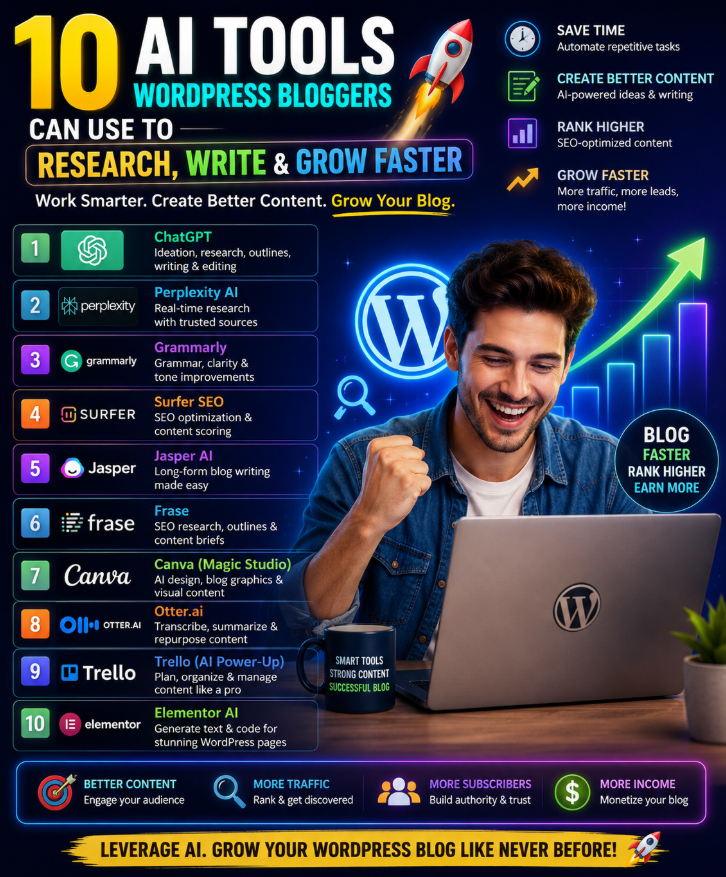
The best AI tools for WordPress bloggers do not replace ideas, experience or editorial judgement. They reduce the slow parts of blogging: collecting sources, grouping keywords, shaping an outline, improving unclear sentences, creating a featured image, checking on-page SEO, adapting an article for social media and finding where readers lose interest.
The strongest general starting tool is ChatGPT. It can help with research planning, outlines, drafting, editing, tables, image briefs and content repurposing. It should not be the only tool in the workflow. NotebookLM is better when the answer must stay grounded in sources you selected; Perplexity is useful for discovering current web sources; Semrush brings search-demand data; Grammarly gives focused language feedback; Canva turns ideas into visual assets; Yoast works inside WordPress; Buffer distributes the post; and Microsoft Clarity reveals how visitors actually behave.
Quick recommendation: Start with ChatGPT, NotebookLM or Perplexity, Canva, Yoast SEO and Microsoft Clarity. Add Semrush or Surfer only when deeper search optimisation can repay the subscription. Add Grammarly if editing is a recurring bottleneck and Buffer when promotion becomes difficult to maintain.
| Tool | Best use | Best for | Main caution |
|---|---|---|---|
| ChatGPT | Planning, outlining, drafting and repurposing | Almost every blogger | Can invent facts, links and quotations |
| NotebookLM | Analysing a chosen source collection | Evidence-led and research-heavy posts | Weak sources produce weak synthesis |
| Perplexity | Discovering current web sources | News, comparisons and fast briefings | Citations do not remove the need to verify |
| Semrush | Keyword, intent and competitor research | SEO-led blogs and content businesses | Data can be expensive and locally incomplete |
| Surfer | Page-level content optimisation | Competitive search articles | Chasing a score can damage readability |
| Grammarly | Grammar, clarity and tone review | English-language editing at scale | Polished wording may still be inaccurate |
| Canva | Featured images and reusable graphics | Bloggers without a design team | Generated visuals and licences require checking |
| Yoast AI | WordPress SEO finishing work | Bloggers already using Yoast Premium | A green indicator cannot guarantee rankings |
| Buffer | Social promotion and scheduling | Solo bloggers and small teams | Each platform needs a tailored post |
| Microsoft Clarity | Behaviour analysis and post improvement | Bloggers with established traffic | AI summaries are hypotheses to investigate |
Features, usage limits, integrations and prices change. Confirm the provider’s current plan before purchasing. Several tools have free access or trials, but a free tier may limit exports, queries, AI generations, websites or collaboration.
Publishing more words is not the same as growing. Useful growth means improving one or more outcomes that matter to the site:
AI can shorten production time, but speed becomes harmful when it produces unverified claims, copied structures, generic advice or dozens of pages that serve no clear reader. Google, social platforms and readers do not owe traffic to a post simply because an AI tool helped create it.
Before buying software, identify the real bottleneck. If the blog has no clear audience, another writing generator will not fix it. Also If posts receive impressions but few clicks, improve titles and search intent. If people open a post but leave before the answer, repair the introduction and structure. If strong posts receive no distribution, build a promotion routine. Tool selection should follow the bottleneck.
ChatGPT is the broadest tool in this list. A WordPress blogger can use it to interrogate an idea, build a research plan, compare possible angles, create an outline, critique a draft, generate a table, simplify a paragraph, draft alternative metadata, produce a featured-image brief and repurpose an approved article.
Official OpenAI guidance describes writers using ChatGPT as a sounding board, research assistant and editor. ChatGPT’s deep research can also search the public web, uploaded files and selected sources, then return a structured report with citations. That makes it useful for complex background research, although the original pages must still be checked before publication.
The productive prompt is not “write a 3,000-word SEO article”. Give it the decision context:
Act as a blogging editor. The reader is [audience] and wants to [goal]. Use only the verified facts and source links I provide. First identify the search intent, missing evidence and five questions the post must answer. Then propose a concise outline that gives the direct answer before background detail. Mark every place that requires a statistic, quotation, example or expert judgement. Do not invent facts, sources, results or personal experience.
For natural output, provide a sample of your own writing and ask for diagnosis before rewriting. Iziraa’s guide on making ChatGPT sound more human explains why reader, purpose, context and examples work better than “humaniser” instructions. New users can begin with How to Use ChatGPT for Beginners.
Do not upload unpublished client material, private customer information, passwords or confidential business plans without appropriate permission and account controls. Review Iziraa’s ChatGPT memory and safer-use guide before placing sensitive material in any AI workspace.
Best for: Planning, drafting, editing, repurposing and structured critique.
NotebookLM is valuable when the blogger wants the AI to work from a defined collection rather than roam across the open web. Add reports, official guidance, interview notes, PDFs, webpages or other supported sources to a notebook, then ask questions about that material.
This controlled approach helps with evidence-heavy posts. A blogger comparing policies, summarising a long report or updating an evergreen guide can ask NotebookLM to locate points of agreement, contradictions, definitions and missing information across selected sources. Its citations help the writer return to the relevant passage.
Using only the sources in this notebook, create an evidence map for a WordPress article about [topic]. For each proposed section, list the claim, supporting source, relevant passage, publication date and any disagreement or limitation. Separate direct source evidence from your inference. If the sources do not answer a question, write “evidence missing” rather than guessing.
Source-grounded does not mean automatically trustworthy. If the notebook contains old, biased or low-quality material, it will organise those weaknesses efficiently. Select primary sources where possible, record dates and preserve contrary evidence. For academic content, Iziraa’s guide to AI citation tools and reference verification provides a useful checking workflow.
Best for: Evidence-led articles based on a controlled source library.
Perplexity is useful when a blogger needs to understand a current topic quickly. Its official help information describes an AI-powered search experience that searches the web and returns answers with citations and links to original sources.
That design reduces the distance between an answer and its evidence. It is especially useful for building a research brief, identifying official announcements, finding recent statistics and discovering vocabulary used in a niche. It should be treated as a source-discovery layer, not as the final authority.
Open each source that supports an important claim. Check who published it, when it was updated, whether the page actually supports the sentence, and whether a newer primary source exists. Perplexity itself warns that source labels are not a substitute for reading an article. A citation can point to a real page while the AI still overstates or misreads the finding.
For Tanzania-focused posts, specify the country, currency, regulator and date range. Global answers frequently hide regional differences in prices, laws, employment practices, connectivity and product availability.
Best for: Current web research and rapid source discovery.
Semrush becomes valuable before writing begins. Its Keyword Magic Tool provides keyword ideas, search volume, difficulty and intent information, while its broader content tools support topic discovery, competitor research and content planning.
The key advantage over a general chatbot is data. ChatGPT can brainstorm plausible phrases, but plausibility is not evidence that people search for them. Semrush can help distinguish a broad phrase with strong competition from a specific long-tail question that a focused site may realistically answer.
Do not select a keyword by volume alone. A lower-volume query that closely matches the site’s expertise and business model may be more useful than a large, vague term. Keyword databases can also be thinner for Tanzania and Kiswahili than for major English-language markets. Validate local topics with Google Search Console, reader questions, sales conversations and regional sources.
Semrush and Surfer overlap. A small blog normally does not need both immediately. Choose Semrush when the main problem is deciding what to cover and understanding the competitive landscape. Choose Surfer when topics are already selected and page-level optimisation is the repeated bottleneck.
Best for: Keyword strategy, search intent and competitor-led planning.
Surfer’s Content Editor analyses pages that rank for a target query and turns the comparison into recommendations for terms, coverage and structure. Its WordPress integration can move content between Surfer and WordPress or display guidance within the publishing workflow.
This is helpful after the writer already understands the reader and has a defensible draft. Surfer may expose an overlooked subtopic, a weak heading structure or a vocabulary gap. It can also help teams apply a more consistent optimisation process across many posts.
A content score is not a ranking guarantee. Search performance also depends on intent match, originality, authority, links, technical quality, user experience and competition. Inserting every recommended phrase can create bloated, repetitive writing. Use the recommendations as questions: “Have we genuinely answered this?” is better than “Where can we force this term?”
Never copy the structure or wording of ranking competitors. Add first-hand knowledge, original examples, local context, clearer explanations or better evidence. If Surfer and natural readability conflict, protect the reader.
Best for: Improving page-level coverage after a strong human-led draft exists.
Grammarly checks grammar, spelling, clarity and tone, and its AI features can rewrite sentences for length, formality or style. Its ideal place is late in the workflow—after the writer has verified facts, selected examples and settled the argument.
Do not accept all suggestions automatically. Deliberate local expressions, Kiswahili, technical language and brand phrases may look unusual to a general editor. A rewrite can also remove a qualification or alter a number. Compare the revised sentence with the evidence whenever factual meaning matters.
Grammarly cannot rescue weak research. A polished paragraph can still be false, misleading or copied. Use it for language quality, not factual approval. If the first draft already sounds generic, read Iziraa’s guide to natural ChatGPT writing before applying another layer of automated rewriting.
Best for: Final English-language clarity, consistency and tone checks.
Canva gives non-designers a practical environment for featured images, social cards, diagrams, quote graphics and simple infographics. Canva’s Magic Design and other AI functions can generate design directions from text or media, while reusable templates keep a blog visually consistent.
For WordPress, the biggest gain comes from building a small template system. Create crop-safe layouts for featured images, in-post diagrams, Pinterest graphics and social previews. Replace the topic, image and short headline without rebuilding the visual hierarchy every week.
Inspect generated people, hands, flags, maps, currency, product details and text. Do not present an invented person as a real customer or expert. Confirm that you have rights to upload, edit and publish source material. Add descriptive alt text in WordPress based on the image’s purpose; do not stuff the focus keyphrase into every alt attribute.
Iziraa’s guide to AI tools for social media managers explains how Canva can fit into a broader promotion workflow, while AI tools for small businesses covers lean tool selection for limited budgets.
Best for: Featured images, diagrams, social cards and reusable visual systems.
Yoast is where research and drafting meet the WordPress publishing screen. Its standard analysis checks elements such as keyphrase placement and readability. Yoast SEO Premium adds AI-assisted title and meta-description generation, AI Optimize suggestions and other features within WordPress.
Yoast says AI Optimize can suggest changes for selected keyphrase and readability assessments. The writer can accept, change or reject them. That control matters: a suggestion should improve the post without distorting meaning.
A green light is a checklist result, not a promise of traffic. Yoast does not determine whether a claim is correct, the topic is worth targeting, the page satisfies intent or the site has enough authority to compete. Do not repeat the exact keyphrase until the writing sounds unnatural simply to change an indicator.
For Iziraa, Yoast should be the final on-page check after the SPEAR–Pyramid article is complete. Confirm the SEO title, slug, meta description, H1, opening paragraph, useful headings, internal links, external sources, image alt text and schema. Then read the article as a person, not as a plugin.
Best for: WordPress metadata, readability and final on-page checks.
A strong article cannot grow if nobody sees it. Buffer combines drafting, platform adaptation, scheduling and analytics. Its AI Assistant can brainstorm, rewrite, shorten, expand and adjust the tone of social posts within the publishing workflow.
Do not paste the same message everywhere. A LinkedIn explanation, Facebook discussion prompt, X post, Pinterest pin and Instagram carousel have different conventions. Give Buffer the verified article, target platform, audience and desired action. Then review every adaptation before scheduling.
Avoid repeatedly promoting a weak article. If clicks are low, test the promise and format. If people click but leave, improve the page. Iziraa’s 10 AI tools for virtual assistants offers a broader service-delivery stack for bloggers who delegate promotion and publishing tasks.
Best for: Consistent, platform-aware promotion after publication.
Microsoft Clarity is a behaviour-analytics tool with heatmaps, session recordings and machine-learning insights. Copilot can summarise heatmaps and groups of recordings, while its chat experience can answer questions about site data.
For bloggers, this moves optimisation beyond keyword scores. A heatmap may show that readers ignore an early promotional block, fail to reach an important table or repeatedly click something that is not a link. Grouped summaries can identify patterns worth investigating without watching every session.
Treat Copilot’s summary as a hypothesis. Open representative recordings, inspect the relevant heatmap and compare with traffic, search intent and conversion data. A short session can mean the reader found the answer immediately, not that the content failed. Avoid drawing conclusions from tiny samples.
Configure analytics responsibly. Publish an accurate privacy notice, follow applicable consent requirements and avoid collecting information you do not need. Regular backups also matter before plugin, theme or analytics changes; Iziraa’s computer data backup guide explains why recoverability belongs in every digital workflow.
Best for: Improving existing posts using real behaviour rather than assumptions.
The right stack depends on the blog’s stage and bottleneck.
Begin with:
Use free access where suitable and learn the workflow before upgrading. The goal is to publish a small number of useful, verified posts consistently.
Use ChatGPT, NotebookLM, Semrush, Surfer, Grammarly, Canva, Yoast and Clarity. Semrush guides topic selection; Surfer supports page-level coverage; Yoast handles the WordPress finish; Clarity reveals whether readers engage as expected.
Do not optimise every page with the same intensity. Reserve the expensive workflow for commercial pages, pillar posts and articles that already show ranking potential.
Use ChatGPT as an interviewer, NotebookLM for organising your source material, Canva for evidence-led graphics, Yoast for publishing and Buffer for distribution. Your first-hand knowledge is the differentiator. Let AI extract and organise that knowledge rather than replacing it with generic prose.
Add clear roles before adding subscriptions. One person owns sources, another edits, and one person approves publication. Maintain a source log, voice guide, visual templates, status field and update date. AI should make responsibility visible, not blur it.
Use Search Console questions, reader messages, client conversations and Semrush data. State the reader, problem, intent and desired outcome in one sentence. Reject topics that do not fit the site’s expertise.
Use Perplexity or ChatGPT search to discover candidate sources. Prefer original studies, official documentation, public authorities and direct company information. Add the selected material to NotebookLM and record the author, title, date, URL and claim supported.
Ask ChatGPT to interview you about experience, examples and disagreements. Define what the post adds that ranking pages do not: Tanzania-specific context, Kiswahili guidance, a new dataset, a better comparison, a practical template or a clearer decision rule.
Write the answer first. Use the outline to maintain flow, but allow the argument to change when evidence requires it. Insert links while drafting. Mark every unsupported claim rather than hoping to remember it later.
First check accuracy and logic. Next check structure and usefulness. Then use Grammarly for sentence-level clarity. Finally, read aloud to catch rhythm, repetition and phrases you would never naturally say.
Use Canva for the featured image. Complete Yoast metadata and on-page checks. Preview on desktop and mobile. Test links, tables, lists, images, forms and schema. Make a backup before major site changes.
Use Buffer to schedule platform-specific promotion. After enough traffic accumulates, review Clarity and Search Console evidence. Update the post when facts, product features, search intent or reader behaviour change.
Use this four-part test for every AI-assisted WordPress article:
If a post fails one letter, it is not ready. A fast draft is valuable only when it becomes a trustworthy article.
I am preparing a WordPress article for [reader] about [topic]. Here are my source links and notes. List the claims that have strong support, claims supported by only one source, disagreements between sources, missing dates and questions that remain unanswered. Do not draft the article yet.
Analyse the likely intent behind [keyphrase]. Separate the immediate answer, comparison criteria, practical steps, risks and follow-up questions. Suggest an inverted-pyramid outline. Explain which sections are necessary and which would be filler.
Study the following sample of my writing. Describe its sentence length, level of formality, vocabulary, transitions and use of examples. Then edit my new draft only for clarity and structure. Preserve distinctive phrases and do not add experiences, opinions or claims that I did not provide.
Review this finished article for search intent and reader usefulness. Check whether the answer appears early, headings are descriptive, keyphrase use is natural, internal links are relevant and the meta description accurately states the benefit. Do not recommend keyword repetition solely to increase density.
Compare this existing article with the updated source pack and performance notes. Produce a change log with: outdated facts, broken or weaker sources, questions readers still have, sections with low engagement, material that should remain and specific revisions to test. Separate evidence from inference.
The first draft is raw material. It may contain repetition, shallow examples, invented detail and abrupt logic. Research, edit and fact-check it.
Never request a bibliography “from memory”. Search for real sources, open them, verify the claim and record the correct metadata.
Semrush, Surfer and Yoast provide signals. None can promise rankings or determine whether a post is genuinely useful. Optimise for a person’s decision first.
ChatGPT, Grammarly, Semrush, Surfer and Yoast all touch writing or optimisation, but they solve different problems. Define the bottleneck and select the smallest stack that covers it.
Generic AI text cannot reproduce lessons learned from real customers, Tanzanian institutions, local prices, Kiswahili usage or a failed experiment. Interview the author and preserve specific evidence.
Do not upload material you lack permission to process. Verify licences for images, templates and stock assets. Remove confidential data from prompts and follow each tool’s current terms.
A system that generates, uploads and publishes without approval can scale a small error across hundreds of pages. Require human checks for sources, claims, links, formatting and rights.
ChatGPT is the strongest general starting tool because it supports planning, drafting, editing, research assistance, image briefs and repurposing. The best specialised tool depends on the bottleneck: NotebookLM for controlled sources, Semrush for keyword strategy, Canva for visuals, Yoast for WordPress SEO and Clarity for behaviour analysis.
It can help create the components and some tools can send drafts to WordPress, but automatic publication is risky. A person should verify sources, originality, tone, copyright, privacy, links, metadata and layout before the post goes live.
No tool can guarantee rankings. Search performance depends on usefulness, intent match, evidence, originality, site quality, competition, links, user experience and other factors. AI involvement does not compensate for weak content.
Usually not at the beginning. Semrush is stronger for keyword, competitor and content-opportunity research. Surfer is more focused on page-level coverage and optimisation. Start with the problem that costs the most time or traffic.
Yoast SEO has a free version, but specific AI functions such as AI Optimize and AI title and description generation are associated with Yoast SEO Premium. Features and plans change, so check Yoast’s official product page.
No. Their citation features improve traceability, but the blogger must open the original source and check that it supports the exact claim. A real source can still be outdated, weak or misinterpreted.
Three to five are enough: one general assistant, one research method, one visual tool, one WordPress SEO plugin and one measurement tool. Add software only after identifying a recurring bottleneck.
Yes. ChatGPT image generation and Canva can create or support featured images. Review visual details and text, confirm usage rights and export an appropriately compressed image with descriptive alt text.
Follow applicable laws, platform rules, client agreements and editorial policies. Disclose AI assistance when it materially affects the work or when readers would reasonably expect to know. Never present generated experience, people, quotations or test results as real.
Start with personal expertise, interviews, original data, local context and real examples. Give the AI a voice sample and explicit boundaries. Use it to question and edit the author, not to invent the author’s identity.
The best AI tools for WordPress bloggers form a workflow, not a substitute for authorship. ChatGPT helps think and draft; NotebookLM and Perplexity strengthen research; Semrush and Surfer support search decisions; Grammarly improves language; Canva creates visuals; Yoast completes the WordPress SEO check; Buffer promotes the post; and Clarity shows what readers actually do.
Begin with the smallest combination that removes a real bottleneck. Publish fewer weak pages and more useful, evidence-backed articles. Measure outcomes beyond word count, and keep a person responsible for every claim and publishing decision. That is how AI helps a blog grow faster without making it less trustworthy.