Address
Arusha Njiro
Work Hours
80 Hours A week
Address
Arusha Njiro
Work Hours
80 Hours A week

 ByIziraa
You upload a 90-page report, ask ChatGPT for the main findings and receive a confident summary within seconds. It feels as though the whole document has been read. However, one important question remains: did ChatGPT actually interpret every relevant page correctly, or did it produce a plausible overview from the easiest text to process?
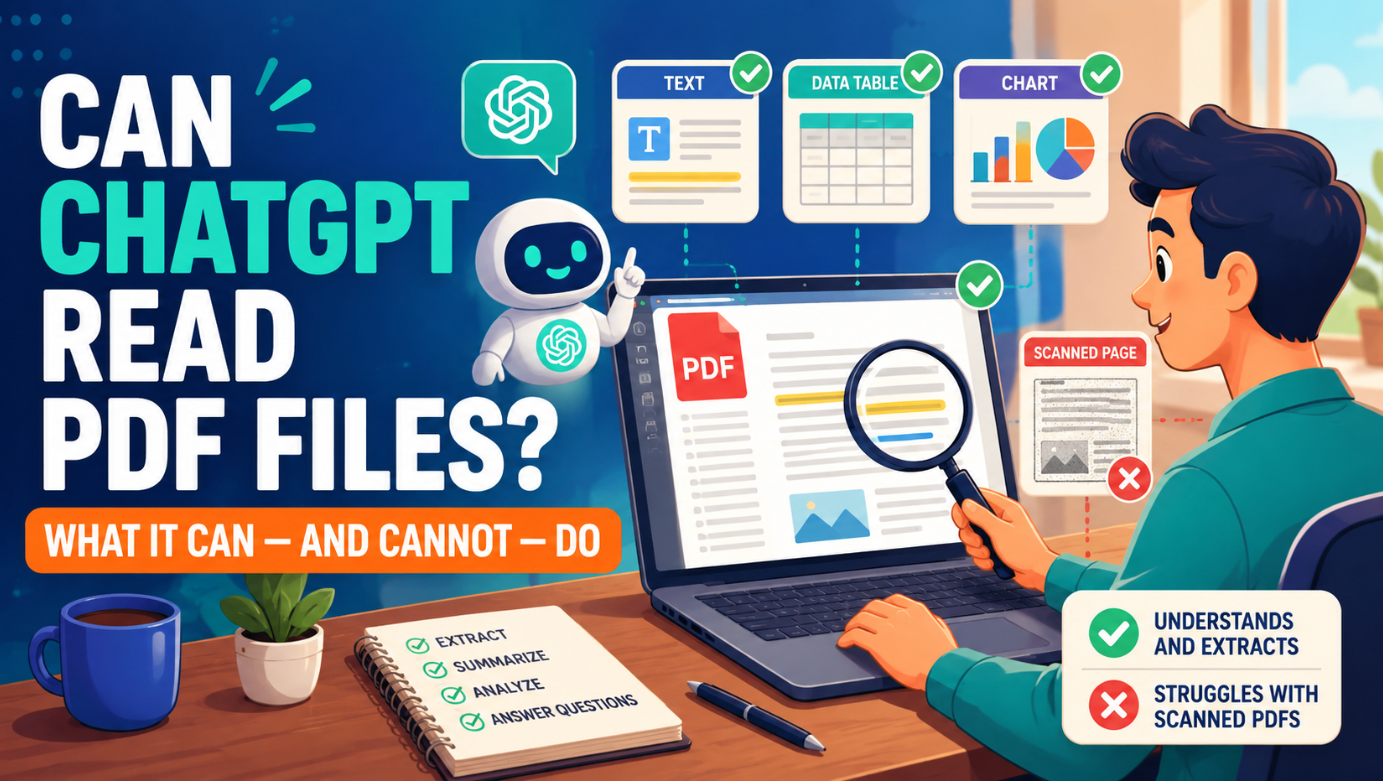
The short answer is that ChatGPT can read many PDF files remarkably well. It can summarise chapters, locate named topics, compare sections, explain difficult passages, extract lists and help reorganise information. In supported vision-enabled workflows, PDF processing can include both extracted text and page images. Therefore, charts, diagrams and scanned pages are not automatically invisible.
Nevertheless, a successful upload is not proof of complete understanding. Complex tables, faint scans, handwritten notes, tiny footnotes, unusual fonts, mathematical notation and multi-column layouts can still be misunderstood. Moreover, ChatGPT can occasionally make a claim that sounds certain even when the source page is unclear.
So, can ChatGPT read PDF files properly? Yes, for many practical tasks—but only if the PDF is readable, the request is specific and the user checks important claims against the original pages. The safest approach is to treat ChatGPT as a fast reading assistant, not as the final authority on what a document says.
Quick verdict: Use ChatGPT to navigate, explain and organise a PDF. For decisions, quotations, calculations or formal research, require page references and verify the original document yourself.
ChatGPT can work with PDF files because a PDF may provide two kinds of information: machine-readable text and visual page content. According to OpenAI’s official file-input documentation, supported vision-capable API models can receive extracted text together with page images from a PDF. In practice, that combination matters because a document may contain a paragraph as text, a chart as an image and a scanned signature on the same page.
However, “reading” is not one single ability. A useful PDF workflow includes several separate tasks:
ChatGPT may perform strongly on some of these tasks and less reliably on others. For example, it may summarise a clean policy document accurately but misread a crowded financial table. Likewise, it may identify the argument in a research paper yet confuse a chart’s legend or overlook an exception hidden in a footnote.
People asking “Can ChatGPT read PDF files?” often mean “Can it recover every detail that matters to my task?” Those are not identical questions. Therefore, judge the output against the evidence you need rather than against how fluent the answer sounds.
Consequently, the right question is not simply, “Can it open my PDF?” Instead, ask, “Which parts of this PDF can it interpret reliably, and how will I verify the result?”
If you are new to the platform, start with our guide to using ChatGPT for beginners. It explains the basic interaction pattern before you move into longer document work.
When the source file is clear and your instructions are precise, ChatGPT can remove hours of repetitive reading. In particular, it is useful for the following jobs.
ChatGPT can create a one-paragraph overview, an executive summary, a chapter-by-chapter outline or a list of key conclusions. Moreover, you can ask it to tailor the summary for a student, manager, customer or subject specialist.
For example, instead of writing “summarise this”, try:
Read this PDF and produce a 250-word summary for a reader who is new to the subject. Separate the document’s purpose, method, main findings, limitations and recommended actions. For every main finding, include the relevant PDF page number. If a point cannot be confirmed from the document, label it “not confirmed”.
This request establishes a structure and a verification rule. As a result, the answer is less likely to become a vague collection of themes.
A long PDF may contain one clause, name, statistic or definition that you need. ChatGPT can help locate it, especially when the text is clean. For instance, you can ask it to identify every section that discusses employee training, list the pages and quote only a short surrounding phrase.
However, search-style questions work best when you provide close synonyms. A report may use “professional development” instead of “training”, for example. Therefore, ask ChatGPT to check related wording rather than searching for only one exact expression.
For broader research, our comparison of the best AI search engines for sources explains why finding a document and reading a document are different stages.
Legal, technical and academic PDFs often contain dense language. ChatGPT can restate a passage in plain British English, define unfamiliar terms and build a simple example. It can also explain the relationship between two sections that appear to conflict.
Nevertheless, simplification can remove an important qualification. Therefore, ask for a two-column response: “original meaning” and “plain-language explanation”. Then compare the explanation with the source passage before relying on it.
ChatGPT can compare definitions, policies, methods or findings across uploaded PDFs. For example, it can create a table showing where two reports agree, disagree or use different evidence.
A good comparison request names the fields in advance:
Compare these two PDFs by purpose, publication date, scope, method, principal findings, limitations and recommendations. Add a page reference for every document-specific statement. Do not treat absence of a topic as proof that the authors rejected it.
That final instruction is important. Otherwise, the model may mistake “not mentioned” for “disagreed”.
ChatGPT can turn repeated information into a table, checklist, timeline or set of categories. For instance, it may extract authors, dates, locations and findings from a review document. It can also convert a procedural PDF into steps for staff training.
However, extraction accuracy depends on layout. A simple table is easier than merged cells, rotated headers or footnotes that modify several rows. Therefore, always request a completeness check and compare totals with the source.
For academic work, ChatGPT can identify a study’s problem, theory, population, sample, methods, variables, findings and limitations. It can also generate questions for critical reading. Moreover, it can help distinguish what the authors found from what they merely predicted.
Still, it should not invent a citation or replace your own reading. Our guide to ChatGPT prompts for academic researchers provides task-specific prompts that preserve evidence and academic judgement.
Students can turn a textbook chapter or lecturer’s notes into flashcards, practice questions and a revision plan. However, passive summaries can create an illusion of learning. Therefore, ask ChatGPT to test retrieval before revealing an answer.
The ChatGPT Study Mode guide shows how to use questions, hints and delayed recall instead of copying finished answers.
Can ChatGPT read PDF files perfectly? No. The following limitations matter because they can change an answer without producing an obvious error message.
A scanned PDF is essentially a collection of page photographs unless optical character recognition has added a text layer. Although visual models can interpret page images, faint printing, shadows, skewed pages and low resolution can reduce accuracy. Similarly, handwritten notes may be partly recognised or entirely missed.
So, can ChatGPT read PDF files that contain only scanned images? Sometimes it can, but the observed transcription quality—not the upload indicator—should determine whether you continue.
Therefore, test a scan before requesting a full analysis. Ask ChatGPT to transcribe one difficult page exactly, including headings and numbers. If the transcription is poor, improve the scan or use dedicated OCR software before continuing.
Tables communicate meaning through position. A number belongs to a row, a column, a unit and sometimes a footnote. If one of those relationships is lost, a correct number can produce an incorrect conclusion.
Can ChatGPT read PDF files with tables? Yes, although table complexity creates more opportunities for a correct-looking but misplaced value.
For example, ChatGPT may confuse percentages with totals, merge two years or assign a figure to the wrong region. Consequently, do not accept a table extraction without checking row counts, column headings, units and grand totals.
For numerical work, request a second calculation and show the formula. If the PDF contains the underlying dataset separately, analyse the spreadsheet rather than relying only on the visual table.
OpenAI’s API documentation states that vision-capable PDF processing can include page images. Nevertheless, visual access does not guarantee flawless interpretation. Tiny labels, overlapping lines, colour-dependent legends and logarithmic axes can cause mistakes.
Therefore, identify the page and chart by name. Then ask ChatGPT to report the title, axes, units, legend and visible values before offering an interpretation. If those basic details are wrong, the conclusion is not ready to use.
Academic journals, magazines and newsletters often use two or three columns. A parser may combine the end of one column with the beginning of another. As a result, sentences can appear coherent while their original order has changed.
Ask for the first and last sentence of each column on a sample page. This simple check can expose a reading-order problem before it affects a long summary.
Important limitations often live outside the main paragraph. A footnote may redefine a figure, while an appendix may explain exclusions. However, a broad summary can prioritise prominent body text and underrepresent these details.
Consequently, include a separate instruction: “Check footnotes, endnotes, appendices and table notes for qualifications that change the main findings.”
ChatGPT may paraphrase when you expect a quotation, alter punctuation or combine nearby phrases. Therefore, never submit a quotation merely because it appears inside quotation marks in an AI response.
Ask for the page number and a short excerpt, then open the PDF and verify every word. This matters especially in academic, legal, policy and journalism contexts.
Language models generate responses; they do not provide a built-in guarantee that every sentence is faithful to the uploaded file. Therefore, ChatGPT may infer beyond the evidence, confuse two sections or fill a gap with general knowledge.
A useful safeguard is to require three labels:
This labelling makes uncertainty visible. Moreover, it reminds the reader that interpretation is different from extraction.
A PDF may be outdated, biased, fabricated or methodologically weak. ChatGPT can identify warning signs, but it cannot automatically make the source authoritative. For example, a professional-looking report may lack an author, date or transparent method.
Therefore, check who published the document, when it appeared, what evidence it uses and whether independent sources support its claims. Our article on AI-assisted interview analysis also explains why tools should support, rather than replace, human interpretation.
Use the PAGE test before relying on a PDF answer.
| Letter | Check | What to ask |
|---|---|---|
| P — Page coverage | Did it inspect the relevant pages, including notes and appendices? | “List the pages used and identify any unreadable pages.” |
| A — Answer traceability | Can each important claim be traced to the source? | “Add a page number beside every factual claim.” |
| G — Graphics verification | Were tables, charts and diagrams interpreted correctly? | “State the title, axes, units, legend and footnotes before interpreting this figure.” |
| E — Evidence check | Does the conclusion match what the document actually supports? | “Separate direct statements, inferences and missing evidence.” |
The PAGE test is deliberately simple. Nevertheless, it changes the interaction from “give me an answer” to “show me how the answer connects to this document”. That shift is the strongest protection against confident but unsupported output.
Open the file before uploading it. Confirm that pages are present, text is readable and the document is not password-protected or corrupted. Furthermore, note whether it contains scans, handwritten annotations, tables or multi-column layouts.
Do not upload passwords, identity numbers, private student records, confidential contracts or customer data unless you have permission and an approved data-handling process. Redact unnecessary personal details first. In addition, check the data controls and retention rules that apply to the account or organisation you are using.
OpenAI provides separate platform data-control documentation for API users. Consumer and organisational settings can differ, so users should check the current controls visible in their own account.
Tell ChatGPT what the PDF is, who created it and why you are reading it. For example: “This is a 2025 annual report. I need to check claims about staff development, not produce a general company profile.”
Context narrows the task. As a result, ChatGPT can focus on relevant evidence instead of guessing what matters.
Before requesting conclusions, ask for the title, author, date, page count, table of contents and major sections. Also ask it to identify pages that appear blank, image-only or difficult to read.
If the map does not match the PDF, pause. The model may not have processed the file as expected.
For a long or complicated document, analyse one chapter or page range at a time. Then request a final synthesis from the verified section notes. This approach reduces the risk that a short answer hides skipped material.
For very large knowledge collections, OpenAI recommends retrieval-based approaches such as file search rather than passing everything as one immediate file input. Therefore, developers should choose a workflow that matches the document volume rather than assuming one upload is always best.
Use a consistent format: claim, evidence, page and confidence. For example:
| Claim | Supporting evidence | PDF page | Confidence |
| The report recommends quarterly training | Short paraphrase of the relevant sentence | 18 | High |
However, remember that a page number produced by the model must still be checked. PDF viewers may display printed page numbers and digital page positions differently.
Choose three difficult pages: one text page, one table and one visual page. Compare ChatGPT’s response with each original. If the error rate is unacceptable, change the workflow before asking it to analyse another 100 pages.
Review quotations, figures, dates, names, exceptions and recommendations. For high-stakes work, ask a qualified person to examine the original evidence. ChatGPT can accelerate the review, but responsibility stays with the human decision-maker.
Sometimes the problem is obvious: the upload fails or the file is rejected. At other times, the PDF appears to load but the answers remain vague. Therefore, test the document rather than repeatedly sending the same broad prompt.
First, confirm that the file opens normally on your device. Then check whether it is password-protected, damaged or still downloading from another service. A fresh copy may work when the original is incomplete. Moreover, a very large document may be easier to handle when divided into logical sections, provided that you preserve page labels and context.
Do not immediately convert a sensitive document on an unknown website. Instead, use trusted software approved by your organisation. If ChatGPT itself appears unavailable or attachments are not responding, follow the checks in our ChatGPT not working guide before altering the source file.
The question “Can ChatGPT read PDF files?” also depends on whether file upload is available in the current account, model and interface. Product features and limits can change. Consequently, check the controls shown in your own ChatGPT session rather than relying on an old screenshot or article.
Ask ChatGPT to list the first heading on every tenth page and the final heading in the document. This is not a perfect coverage test; however, it can reveal whether later sections are absent from the response. Next, request a summary only for the neglected page range.
If you ask, “Can ChatGPT read PDF files from beginning to end?”, the honest answer is that visible coverage should be tested. A concise final summary may omit sections for relevance even when they were technically accessible. Therefore, omission from an answer is not always proof that a page was unread, but it is a reason to investigate.
Provide the page number, heading and nearby wording. In addition, mention synonyms and abbreviations that the document uses. If the fact is inside a chart, scan or footnote, identify that format explicitly.
Can ChatGPT read PDF files after such guidance? Often, a targeted page request works better than a whole-document search. Nevertheless, if the model still cannot reproduce the visible wording, treat that page as unavailable and verify it manually.
Many reports have a cover and preliminary pages that use Roman numerals, while the PDF viewer counts every digital page from the beginning. As a result, “page 12” may refer to printed page 12 or the twelfth screen in the file.
Ask ChatGPT to provide both the printed page label and a nearby section heading. Then locate the evidence by heading, not by number alone. This small step prevents many false page-reference disputes.
Variation does not necessarily mean that the document changed. Instead, it shows why an answer needs an evidence trail. Return to the PDF, define the exact question and require a page-linked table. If two responses disagree, ask ChatGPT to compare them against the source and mark which statement has direct support.
Ultimately, “Can ChatGPT read PDF files properly?” is an empirical question for each document. A five-minute sample test is more informative than confidence in a general product claim.
Examine this PDF and create a document map. Report its title, author or organisation, publication date, visible page count, major sections, appendices, tables and figures. Identify pages that appear scanned, blank, image-only or difficult to read. Do not summarise the findings yet. If information is missing, write “not visible”.
Summarise this PDF for [audience] in [word count] words. Cover purpose, scope, method, principal findings, limitations and recommendations. Add a PDF page reference to every important factual statement. Separate what the authors directly state from your interpretation. Do not use outside knowledge unless I request it.
Analyse the table on PDF page [number]. First transcribe its title, row labels, column labels, units and footnotes. Next, report the values relevant to [question]. Check whether row totals and grand totals are consistent. Finally, explain the result, but label any uncertain or unreadable cell clearly.
Compare these PDFs by purpose, date, scope, evidence, findings, limitations and recommendations. Use separate page references for each document. Distinguish disagreement from simple non-coverage. If the documents use different definitions, explain that before comparing their numbers.
Audit your previous answer only against the uploaded PDF. Create a table with each factual claim, its supporting page, whether the page fully supports it and any correction needed. Mark claims with no direct support as “unsupported”. Do not defend the earlier wording; prioritise accuracy.
These prompts work because they define the evidence standard. Likewise, the ChatGPT prompts that make a working day easier can be adapted by adding page references and verification rules.
It can sometimes read them, but results depend heavily on image quality and the tools available in the current interface. A clear scan with straight pages and large type is easier than a blurred photocopy with handwriting and stamps. Therefore, “scanned PDF support” should not be interpreted as guaranteed OCR accuracy.
If the scan is important, use this short test:
Furthermore, do not ask for a whole-document conclusion before confirming that page order and text recognition are reliable.
Yes, but these are among the areas where verification matters most. Mathematical meaning depends on symbols, subscripts, superscripts and spatial arrangement. Similarly, a chart depends on axes, scale, units and colour. One missed negative sign or incorrect legend can reverse the interpretation.
Therefore, use a two-stage request. First, ask ChatGPT to describe or transcribe the visual element without interpreting it. Second, verify the transcription and only then request analysis. If calculations matter, ask it to show the inputs and formula so you can reproduce the result.
When file processing requires calculations or transformation, OpenAI’s Code Interpreter documentation describes a sandboxed tool that can process files and run Python. However, using code does not repair incorrect source extraction. The inputs must still be checked.
Reading a PDF with AI creates responsibilities beyond technical accuracy.
First, confirm that you have the right to upload the file. A document being available to you does not always mean you may redistribute it. Therefore, avoid uploading confidential, licensed or personal material when permission is unclear.
The question “Can ChatGPT read PDF files?” must therefore include a second question: “Am I authorised to upload and process this particular file?” Technical capability does not replace consent, confidentiality or copyright obligations.
Second, keep quotations short and necessary. ChatGPT can summarise a copyrighted work, but requesting or publishing extensive passages may violate rights or platform rules. In addition, acknowledge the source and follow the citation style required by your institution or publisher.
Third, do not use a PDF summary as proof that you completed required reading. Instead, use ChatGPT to test your understanding, question the argument and locate passages that deserve closer attention. Our guide to making ChatGPT sound more human also explains why genuine knowledge and examples matter more than disguising automated writing.
Finally, never upload sensitive records merely for convenience. If the task involves student data, medical information, legal documents, customer records or unpublished research, follow the organisation’s approved privacy process and seek permission where required.
ChatGPT can process and discuss many complete PDFs. However, practical coverage depends on document length, layout, scan quality, the current product surface and available tools. Therefore, ask for a document map and page references rather than assuming every page was interpreted equally.
It may interpret scanned pages through visual processing, especially when the scan is clear. Nevertheless, faint text, handwriting, skewed pages and low resolution can cause recognition errors. Test representative pages before relying on a full analysis.
It can produce useful summaries, particularly from clean text-based PDFs. However, accuracy improves when you specify the desired structure, prohibit unsupported outside knowledge and require page-level evidence.
Yes, it can often provide page references. Still, you must verify them because a PDF’s printed page numbers may differ from the viewer’s digital page positions, and the model can make mistakes.
It can extract many simple tables. Complex layouts, merged cells, rotated headings and footnotes are less reliable. Consequently, compare row counts, units and totals with the original.
Do not assume that every PDF is appropriate to upload. Check your account’s current data controls, your organisation’s policy and the document owner’s permission. Redact unnecessary personal or confidential information first.
No. It can accelerate navigation, explanation and extraction, but a human should confirm important evidence, quotations and decisions against the original document.
Can ChatGPT read PDF files properly? Often, yes—especially when the PDF contains clean text, a straightforward layout and a clearly defined task. It can summarise, search, explain, compare and restructure document content at impressive speed. Moreover, supported vision workflows can use both extracted text and page images.
However, it cannot guarantee that every scan, table, chart, footnote or formula was interpreted correctly. A confident answer can still contain a missing qualification, confused number or unsupported inference. Therefore, the strongest workflow combines ChatGPT’s speed with page-level evidence and human verification.
Use the PAGE test: check page coverage, answer traceability, graphics and evidence. If an answer will influence a grade, publication, contract, policy or financial decision, open the original PDF and confirm it. ChatGPT is a capable reading assistant; it is not the document itself.