Address
Arusha Njiro
Work Hours
80 Hours A week
Address
Arusha Njiro
Work Hours
80 Hours A week

 ByIziraa
Repetitive work rarely looks dramatic. It arrives as another enquiry to classify, another lead to research, another meeting to prepare, another CRM record to update and another weekly report to assemble. Each job may take only a few minutes, yet the interruptions can consume a working day.
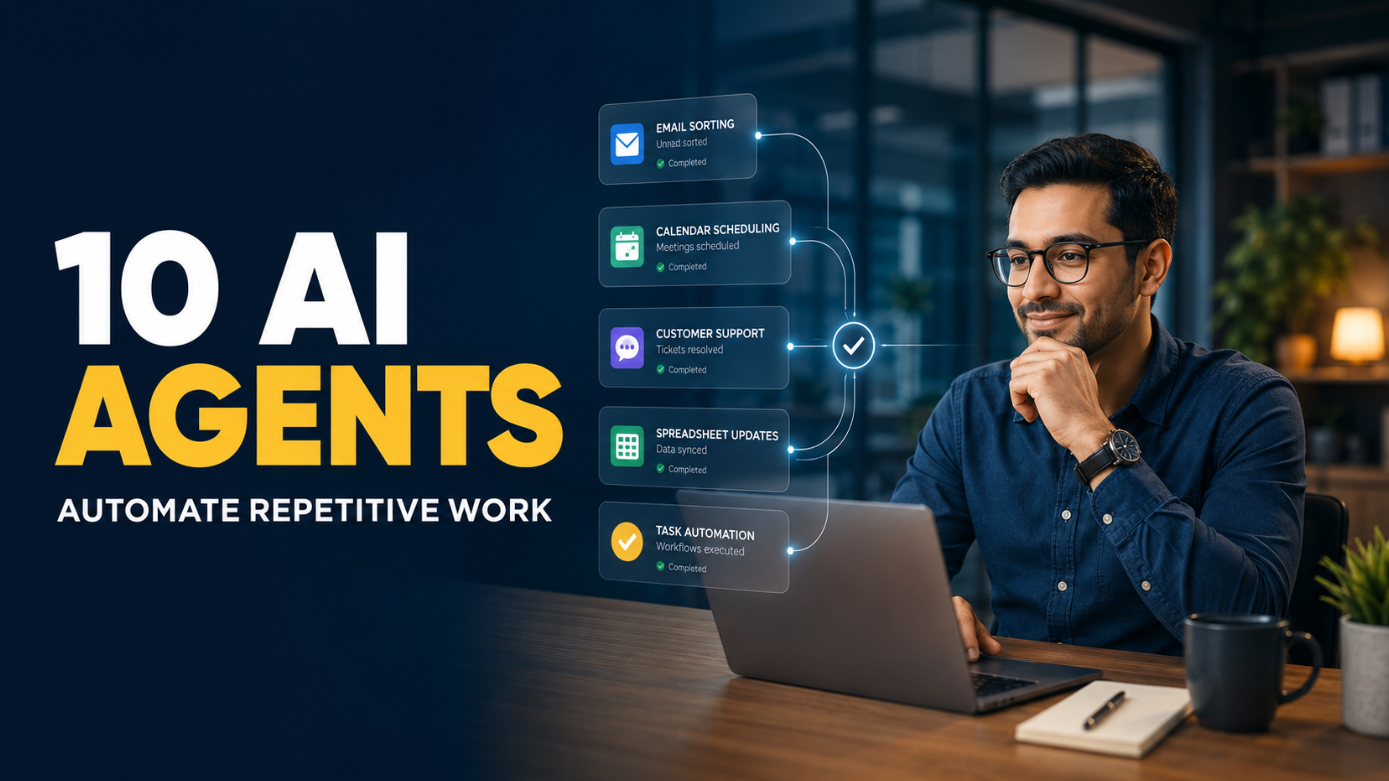
The best AI agents for business tasks can reduce that burden. Unlike a chatbot that only writes an answer, an agent can use approved tools, inspect relevant data, choose the next step and carry out a bounded action. For example, it may check tomorrow’s meetings, gather account notes, prepare briefs and place them in the right workspace before the team starts work.
Therefore, the quick verdict is practical. Zapier Agents is the easiest general starting point for small businesses using many cloud apps. Microsoft Copilot Studio suits organisations centred on Microsoft 365 and Power Platform. Salesforce Agentforce and HubSpot Agent Hub are stronger when customer work already lives inside those CRMs. Intercom Fin specialises in customer service. UiPath suits governed enterprise processes. Lindy is accessible for inbox, calendar and meeting work. Relevance AI supports specialist agent teams. n8n offers technical flexibility. ChatGPT workspace agents are promising for repeatable, connected knowledge work where available.
Best first move: Choose one frequent, low-risk task with a clear correct result. Let an agent prepare or execute it within limited permissions, require approval at the risky step, and measure the correction time for 30 days.
This guide compares ten current platforms, explains what each one can realistically handle and introduces an AGENT test for avoiding expensive automation theatre.
| AI agent platform | Best fit | Repetitive work it can reduce | Main caution |
|---|---|---|---|
| ChatGPT workspace agents | Connected research and knowledge workflows | Meeting briefs, recurring research and shared team processes | Availability is limited and connected data needs careful permissions |
| Zapier Agents | Small teams using many cloud apps | Lead routing, inbox monitoring, enrichment and follow-ups | A badly designed cross-app action can spread errors quickly |
| Microsoft Copilot Studio | Microsoft-centred organisations | Employee requests, document processes and triggered operations | Licensing, connectors and environment governance can be complex |
| Salesforce Agentforce | Salesforce sales, service and operations teams | Case resolution, CRM updates, follow-ups and employee support | Value depends heavily on clean Salesforce data and well-built actions |
| HubSpot Agent Hub | HubSpot go-to-market teams | Prospecting, customer replies, content and CRM research | Credits and outcome charges need workload modelling |
| Intercom Fin | Customer-support teams | Answering and resolving repeat enquiries across support channels | Weak help-centre content produces weak or escalated answers |
| UiPath | Large, regulated or legacy-system processes | Document handling, data entry and multi-system operations | Usually requires more process design and governance expertise |
| Lindy | Founders and lean service teams | Email, scheduling, meetings and CRM administration | Broad inbox permissions require cautious rollout |
| Relevance AI | Teams building specialist agent workforces | Lead research, qualification, customer success and HR workflows | Multi-agent designs can become difficult to evaluate |
| n8n | Technical teams needing control | Custom tool-using workflows across APIs and internal systems | Self-hosting and flexible logic transfer responsibility to your team |
There is no honest universal winner among AI agents for business tasks. The right product depends less on which model sounds cleverest and more on where the work begins, which systems the agent must touch, who approves consequential actions and how failures are detected.
First, traditional automation follows a defined route: when a form is submitted, copy its fields to a spreadsheet and send a standard email. That is valuable, but it does not need to interpret an unusual request or decide among several tools.
However, an agent adds judgement within boundaries. It may classify the request, retrieve the correct policy, decide whether it has enough evidence, perform an approved action and escalate an exception. OpenAI’s official Agents SDK guidance describes agents as applications that can plan, call tools and retain enough state to complete multi-step work.
However, “autonomous” does not mean unsupervised in every situation. An agent that drafts a customer reply is not equivalent to one that issues a refund. Moreover, a flexible model may be worse than fixed automation when the rule is exact. Payroll calculations, tax submissions and access revocation often need deterministic controls, formal review and audit records.
Use an agent when the task contains variable language or changing context but still has a stable goal. En Use ordinary automation when every input follows the same rule. Use a human when the work involves sensitive judgement, serious consequences, unclear policy or relationship repair.
Before buying one of these AI agents for business tasks, apply the AGENT test.
| Letter | Test | Question to ask |
| A — Action fit | The agent can reach the systems needed to complete the task. | Can it do the work, or only suggest text? |
| G — Guardrails | Permissions, approval points and escalation rules are explicit. | What can it never do alone? |
| E — Evidence | Outputs are grounded in approved records and sources. | Can a reviewer see why it acted? |
| N — Narrow scope | One agent owns one clear job with exit conditions. | What exact result marks completion? |
| T — Traceability | Actions, errors, costs and overrides can be reviewed. | Can we audit and improve each run? |
The framework changes the buying question. Instead of asking, “Which agent is smartest?”, ask, “Which agent can complete this particular queue safely inside our existing systems?” That produces a smaller and more defensible shortlist.
ChatGPT workspace agents are shared agents designed to complete repeatable workflows across connected tools. OpenAI’s current workspace-agent example shows an agent checking upcoming sales meetings, collecting account context from connected sources, researching recent developments and preparing briefs on a schedule.
That pattern can extend to recurring competitor scans, project-status summaries, document preparation and internal research. Skills can define how the work should be performed, while connected apps provide business context. A shared agent is particularly useful when several colleagues need the same process and output standard.
However, the feature is currently described as a research preview for eligible ChatGPT Business, Enterprise and Edu customers. Therefore, readers should check account availability before planning a rollout. The agent also needs carefully scoped access: a meeting-preparation agent may need read access to calendars and account notes but no permission to send external messages.
The safest first deployment is preparation rather than irreversible execution. For example, let the agent assemble a daily brief with source links and missing-data warnings. A staff member can then approve the brief or correct the workflow. Iziraa’s ChatGPT versus DeepSeek comparison provides wider context on why an integrated work environment can matter more than benchmark scores.
Best for: scheduled research, meeting preparation, shared internal workflows and connected document work.
Watch out for: preview availability, over-broad connector permissions, stale source material and treating a fluent brief as verified fact.
Zapier Agents is a strong starting point when a small or medium business already uses several web applications. Among general AI agents for business tasks, its strength is linking company knowledge with actions across thousands of connected apps. Examples include monitoring an inbox, enriching new leads, drafting personalised follow-ups, updating records and reporting exceptions.
Its practical advantage is reach. A sales enquiry may begin in a form, require company research, need classification and then belong in a CRM with a draft reply and a task for a salesperson. A cross-app agent can coordinate those steps without a custom application.
Nevertheless, connection breadth increases risk. If the agent misunderstands a lead category, it may update several systems before anyone notices. Therefore, start with read access and draft outputs. Add write actions gradually, use one agent for one job and inspect the activity history. Zapier’s official Agents page emphasises single-purpose agents and monitoring rather than one all-powerful digital employee.
For most beginners, the first useful design is: watch a queue, gather context, recommend an action and wait for approval. After the results become consistently accurate, selected low-risk actions can run automatically.
Best for: lead operations, marketing administration, support triage and businesses with fragmented SaaS tools.
Watch out for: duplicate actions, hidden task volume, permission sprawl and workflows that fail silently after an app field changes.
Microsoft Copilot Studio lets organisations build and manage agents, connect them to business data and publish them across employee or customer channels. Agents can respond to users, react to triggers and execute processes through approved connectors and actions.
This makes the platform a natural fit where Outlook, Teams, SharePoint, Dynamics 365 and Power Platform already contain the work. For example, an internal agent can receive a staff request, locate the relevant policy, collect missing information, create an approval and update the requester after a manager decides.
Microsoft distinguishes an assistant from an agent: the assistant helps a person, while an agent is specialised for a process and may operate with less input. Its official Copilot Studio overview highlights building, connecting and publishing these agents.
However, enterprise integration is not automatically simple. Environments, connectors, data-loss-prevention policies, identity, licensing and ownership all need decisions. A proof of concept built in one employee’s space can become difficult to maintain. Therefore, assign an owner, separate development from production and document each action the agent can take.
Best for: employee self-service, Microsoft-centred document processes, approvals and departmental operations.
Watch out for: licensing assumptions, connector permissions, unmanaged test agents and deploying before the underlying process is stable.
Agentforce is designed for organisations whose sales, service and operational data already lives in Salesforce. It combines business data, reasoning and actions so teams can create specialised agents for employees or customers. An agent may answer a service question, update a case, create a follow-up task or execute an existing Salesforce Flow.
That last capability matters. A reliable agent does not need to improvise every step. Salesforce’s guidance on reliable agent behaviour explains that deterministic Flows can handle routine sequences while the agent interprets the request and selects the appropriate action. This combination is often safer than asking a model to invent a process.
Agentforce becomes attractive when the CRM already contains trusted account histories, permissions and workflows. Conversely, an agent cannot repair years of duplicate contacts, missing fields and conflicting status definitions by itself. Poor data may merely produce faster confusion.
Begin with a high-volume intent such as order-status questions or internal account summaries. Define what constitutes resolution, test unusual cases and ensure a person receives exceptions. Then compare resolved cases, correction rates and customer satisfaction rather than relying on demonstration quality.
Best for: Salesforce service, sales, employee support and structured CRM actions.
Watch out for: dirty CRM data, unpredictable consumption costs, unclear escalation and letting generative reasoning replace a reliable Flow.
HubSpot’s Agent Hub, previously called Breeze Agents, brings customer, prospecting, content and data agents into its CRM environment. Its custom agent builder can use prompts, company knowledge and live CRM data on a visual canvas.
For a small marketing or sales team, the prospecting agent is a concrete example. HubSpot says it can research accounts, identify relevant contacts, draft personalised outreach and follow a configured strategy. The customer agent can handle routine questions, while data and content agents support other go-to-market work.
This integration reduces copying between a general AI tool and the CRM. More importantly, the agent can use relationship history and current records. HubSpot’s official Agent Hub overview also lets administrators see active agents and review performance.
However, usage-based credits or outcome charges can change the economics. Model the normal monthly volume before switching on automatic enrolment. Furthermore, review outreach rules, frequency, exclusions and approval requirements so automation does not damage sender reputation or customer trust.
Best for: HubSpot prospecting, customer support, content operations and CRM-based research.
Watch out for: credit consumption, automatic enrolment rules, generic outreach and assuming the CRM contains complete customer context.
Intercom Fin is narrower than a general agent builder, which can be an advantage. It is built to answer and resolve customer questions across support channels using approved content and configured actions. Routine enquiries—account guidance, product questions, order information and troubleshooting—can be handled without placing every conversation in a human queue.
The key word is resolve. A support agent creates value only when the customer receives a correct outcome, not when the system sends a plausible paragraph. Intercom’s official Fin documentation covers its role in service, sales and other customer interactions.
Its performance depends on the knowledge base. Contradictory policies, old screenshots and missing regional exceptions will limit any support agent. Before launch, audit the most frequent contact reasons and ensure one approved answer exists for each. Then configure escalation for uncertainty, frustration, sensitive data and exceptions.
Outcome-based charges also deserve attention. Estimate cost from real conversation volume and resolution definitions, not a best-case marketing percentage. Finally, sample both resolved and escalated conversations because an impressive resolution rate may hide poor customer experience.
Best for: support teams with repeated questions and a maintained help centre.
Watch out for: weak source content, false confidence, unclear hand-offs and measuring deflection instead of successful resolution.
UiPath combines AI agents, software robots and human tasks. That mix is useful for long-running operations where reasoning alone cannot finish the work. An agent may interpret an invoice or request, a robot may enter validated data into an older desktop system, and a staff member may approve an exception.
The official UiPath agentic automation platform focuses on orchestrating processes across systems rather than offering only a conversational assistant. Consequently, it suits finance operations, document processing, procurement, claims, compliance and other workflows involving structured controls or legacy interfaces.
Yet enterprise capability brings implementation work. Teams must map the process, define credentials, handle unavailable systems, test documents, log decisions and plan operational support. Automating a broken process simply makes the breakage faster.
UiPath is therefore rarely the lightest tool for a founder who needs ten emails sorted. It becomes compelling when the repetitive task spans many systems, requires auditability and already justifies a formal automation programme.
Best for: high-volume back-office processes, legacy applications, regulated operations and human-agent-robot orchestration.
Watch out for: implementation effort, maintenance ownership, exception queues and weak business cases disguised as innovation projects.
Lindy positions itself as an AI executive assistant for email, calendars and meetings. Its agent steps can choose among skills according to guidelines rather than following only a fixed sequence. Common workflows include triaging messages, preparing meeting context, scheduling calls, recording notes and updating a CRM afterwards.
For founders and service teams, this attacks a recognisable problem: administrative work scattered across the day. A well-scoped agent can identify routine messages, suggest replies, create follow-up tasks and leave sensitive conversations untouched.
Lindy’s official agent-step documentation notes that autonomous steps are more flexible—and more expensive—than standard actions. Therefore, use ordinary workflow steps where the rule is fixed and reserve agent judgement for ambiguous classification or tool choice.
Inbox access is powerful. Begin with labelling and drafting rather than sending. Exclude confidential categories, cap the number of daily actions and route uncertain requests to a review folder. Iziraa’s guide to AI tools for virtual assistants offers additional ways to separate administrative support from decisions that require a responsible person.
Best for: email triage, meeting preparation, scheduling and lean-team administration.
Watch out for: accidental sends, calendar conflicts, broad account access and paying for agent reasoning when a simple rule would work.
Relevance AI enables teams to build specialist agents for sales, customer success, marketing and HR. Agents receive tools and goals, then plan how to complete a task. Several specialists can also be organised into a workforce—for example, one researches an account, another qualifies it and another drafts a hand-off.
This makes the platform useful when a process contains distinct roles rather than one long prompt. Its official agent documentation describes agents as reasoning systems that use tools to complete work on autopilot.
However, more agents do not automatically mean better automation. Each hand-off adds cost, latency and another place for context to be lost. Start with one specialist, one input queue and one measurable output. Add another agent only when the separation improves evaluation or permissions.
For instance, a research agent may gather company facts with citations, while a salesperson approves the final outreach. That is safer than allowing one agent to research, judge fit, invent a message and contact hundreds of people without review.
Best for: custom sales research, qualification, customer-success checks and teams experimenting with specialist workflows.
Watch out for: complex multi-agent diagrams, unclear ownership, duplicated work and evaluation metrics that reward activity rather than business value.
n8n is a workflow automation platform with an AI Agent node. A team connects a chat model and tools; the agent then decides which tool to call. n8n can combine this judgement with triggers, database steps, APIs, code and deterministic workflow logic.
That architecture is attractive for technical teams that want to control data flow, models and deployment. For example, an agent can receive a support request, query an internal knowledge source, create a ticket through an API and request approval in a communication tool. The official n8n AI Agent documentation explains that the connected tools determine what the agent can do.
Self-hosting can support particular control requirements, but it is not a magic privacy switch. The team still manages infrastructure, secrets, model providers, logs, updates and access. Moreover, highly flexible workflows can become fragile when nobody documents them.
Use n8n when technical ownership is available and custom integration matters. A non-technical team wanting a quick lead assistant may reach value faster with Zapier, Lindy or a CRM-native agent.
Best for: custom APIs, internal tools, self-managed environments and developer-owned automation.
Watch out for: credential handling, workflow maintenance, model costs, uncaught retries and building custom complexity without a clear return.
Match the platform to the system of record and the repeated job.
| Your situation | Strong starting option | Why |
| “Our tools are scattered across many cloud apps.” | Zapier Agents | Broad integration reach and accessible setup |
| “Most work lives in Microsoft 365.” | Copilot Studio | Native fit with Microsoft data, actions and governance |
| “Sales and service run in Salesforce.” | Agentforce | Uses Salesforce records, Flows and permissions |
| “Our CRM and marketing are in HubSpot.” | HubSpot Agent Hub | Keeps prospecting, service and content close to CRM context |
| “Support tickets are the main bottleneck.” | Intercom Fin | Specialised customer-service design |
| “We have high-volume legacy operations.” | UiPath | Coordinates agents, robots and people |
| “Email and meetings consume the week.” | Lindy | Focused assistant-style administration |
| “We need custom specialist agents without starting in code.” | Relevance AI | Flexible agent and workforce builder |
| “Developers need deployment and workflow control.” | n8n | Customisable orchestration and self-management options |
| “We need shared, scheduled knowledge workflows in ChatGPT.” | ChatGPT workspace agents | Connected research, skills and recurring team processes |
If the main problem is only writing, summarising or brainstorming, you may not need an agent at all. A normal ChatGPT conversation or template could be safer and cheaper. Iziraa’s guide to practical AI tools for small businesses helps distinguish general assistance from genuine action-taking automation.
Let an agent label messages by topic, urgency and required team. It can draft a response but should escalate uncertainty. This saves sorting time without immediately granting external sending rights.
An agent can inspect the calendar, retrieve approved notes, summarise open actions and flag missing information. Every claim should link back to its source record.
The agent can gather public company information, match it to a target profile and prepare a reviewable CRM entry. For important research, apply the source checks in Iziraa’s guide to the best AI search engine for sources.
After a meeting or support interaction, an agent can draft a summary and next steps. A human should approve promises, prices, deadlines and sensitive language.
Agents can extract fields from forms, emails or documents and prepare CRM or spreadsheet updates. Preserve the source and expose uncertain values. Iziraa’s ChatGPT and Excel workflow explains why joins, totals and business rules still require checks.
An agent can gather metrics, compare them with a prior period and draft a commentary. However, use deterministic formulas for totals and require source links for explanations. Teams that also automate publishing can adapt the review principles in Iziraa’s guide to AI tools for social media managers rather than allowing unapproved reports to become external posts.
Instead of handling every transaction, let the system highlight overdue items, missing fields or unusual cases. People can then focus on the exceptions where judgement creates value.
These tasks have four useful qualities: high frequency, limited consequence, reviewable outputs and a clear definition of success. That makes them better pilots for AI agents for business tasks than attempting to replace a complete department.
Record weekly volume, time per case, error rate, waiting time and the systems touched. Without a baseline, a lively demo can be mistaken for productivity.
Write: “When [trigger] occurs, use [approved sources] to produce [specific output]; stop and escalate when [conditions] occur.” Avoid “help with sales” or “manage operations”.
Give the agent only the records and actions required for that job. Separate read, draft, update, send, approve and delete permissions. Review privacy settings before connecting customer or employee data; Iziraa’s ChatGPT privacy guide provides a useful general checklist.
Include normal cases, incomplete inputs, duplicates, contradictory records and cases that must escalate. The test should resemble the real queue rather than a polished vendor demonstration.
Let the agent recommend actions while employees continue the normal process. Compare results without allowing the agent to affect customers or records.
Begin with labels, drafts and internal notes. Add record updates only after accuracy is stable. Keep approval for external messages, payments, employment decisions, contracts, deletion and other high-impact actions.
Measure total time saved after correction, successful completions, escalations, customer outcomes, failed actions and cost per completed case. Retire an agent that requires more supervision than the task it replaced.
Analyse this list of repeated tasks:
[paste]. Score each by weekly volume, manual time, input consistency, consequence of error, ease of review and system access. Recommend one low-risk pilot. State the trigger, required data, output, approval point, escalation conditions and success metric. Do not recommend automation for a task with unclear policy.
Write operating instructions for an agent that performs only this job:
[job]. Define approved sources, allowed tools, prohibited actions, required output fields, uncertainty threshold, duplicate checks, completion condition and escalation route. Require the agent to cite the record used for every consequential claim.
Create 20 realistic test cases for this workflow:
[description]. Include normal cases, missing fields, conflicting data, duplicates, outdated information, malicious instructions in retrieved text and requests outside policy. For each case, state the expected action and whether human approval is required.
Build an approval matrix for this agent. Classify actions as read-only, draft, internal update, external communication, financial, legal, personnel, access-control or deletion. Recommend automatic, sample-review or mandatory-approval treatment for each, and explain the consequence of a false action.
Review these agent-run logs and outcome metrics:
[paste]. Calculate completion, correction, escalation and failure rates. Separate model errors, bad source data, missing permissions, workflow design faults and human-review delays. Recommend the three changes most likely to improve net time saved without expanding risk.
Good instructions help, but they cannot repair an unsuitable workflow or unreliable data. Iziraa’s guide to ChatGPT mistakes that make good prompts fail explains why tool choice, context and verification remain part of answer quality.
An agent should not make final hiring or disciplinary decisions, approve significant payments, enter binding contracts, provide unreviewed legal or medical decisions, change access rights broadly, delete business records or send mass external communications without appropriate safeguards.
Even low-risk agents face prompt injection: a malicious instruction may appear inside an email, webpage or document the agent reads. Therefore, retrieved content should be treated as data rather than authority. Limit tools, validate inputs, separate instructions from untrusted text and require approval for consequential actions.
NIST launched an AI Agent Standards Initiative in 2026 to support secure, trusted and interoperable agent adoption. The existence of that initiative reinforces a simple business lesson: identity, authorisation, monitoring and accountability matter as much as model quality.
Before launch, answer these questions:
An agent is worthwhile when it reduces total handling time while maintaining or improving the business outcome. When comparing AI agents for business tasks, subscription price alone is not enough. Include usage credits, model calls, premium connectors, implementation, monitoring, correction and employee training.
Use this simple calculation:
Monthly value = manual hours avoided − review and correction hours − operating and implementation cost converted to time or money.
For example, an agent that drafts 1,000 replies may look productive. Yet if employees rewrite most drafts, the business has automated typing rather than the task. Measure approved-without-change rate, successful action rate, correction time and customer outcome.
Prices and plan names change frequently, so this guide does not freeze temporary figures into a long-term recommendation. Test one normal workflow on a monthly or trial basis, inspect current terms and avoid annual commitments before the agent survives real exceptions.
The best AI agents for business tasks do not “run the company”. They remove a defined layer of repeated work while keeping policies, permissions and accountability visible.
For most small businesses using many cloud services, Zapier Agents is the broadest accessible starting point. Choose Lindy for inbox and meeting administration, HubSpot Agent Hub for HubSpot-centred go-to-market work and Intercom Fin for customer-support repetition. Microsoft and Salesforce organisations should first examine Copilot Studio and Agentforce. Enterprises with legacy and regulated processes gain more from UiPath. Technical teams may prefer n8n, while Relevance AI supports custom specialist teams. Eligible ChatGPT workspaces can explore shared agents for connected, scheduled knowledge workflows.
Ultimately, the winning platform is the one that passes the AGENT test: it fits the required action, enforces guardrails, exposes evidence, stays narrow and keeps a trace. Begin with one queue, one owner and one approval point. Then expand only after measured results show that the agent saves more work than it creates.
Zapier Agents is a strong general choice for small businesses that need to connect several cloud apps. Lindy suits email and meeting administration, while HubSpot Agent Hub fits teams already using HubSpot. The best option depends on the existing system and one specific task.
Suitable early tasks include classifying enquiries, preparing meeting briefs, researching leads, drafting routine follow-ups, updating records from approved inputs, producing recurring reports and monitoring exceptions.
No. A chatbot may only answer questions or produce text. An AI agent can use tools, select steps and carry out actions within its permissions. Some customer-service products combine both capabilities.
They can automate bounded, low-risk actions after testing. However, consequential activities such as payments, contracts, access changes, employment decisions, deletion and mass external messages should retain appropriate human approval.
Costs vary by platform and may include subscriptions, users, usage credits, model calls, completed outcomes, connectors and implementation. Compare total cost with time saved after review and correction rather than relying on the advertised plan price.
Track successful completion, correction, escalation and failure rates, plus net handling time, cost per completed case and the customer or operational outcome. Activity volume alone is not proof of value.
They can be used more safely when access is limited, data controls are reviewed, actions are logged and high-impact steps require approval. Businesses should check each provider’s current privacy, retention, security and contractual terms before connecting confidential data.